
Montgomery County Court Calendars Explained
The fastest calendar tool for Montgomery County is the Montgomery Search Docket. It covers Circuit and District Court matters. County code 03 applies, for a setting date you choose. Leave Last Name blank and you get the whole docket for that date. Type a last name and the list narrows. So treat it as a calendar search, not a full archive of case events.
Court dates here split by custodian and court. The Montgomery County Circuit Clerk keeps Circuit and District dockets. Each Circuit Criminal judge runs an individual docket. Montgomery Municipal Court posts its own daily docket for city ordinance, misdemeanor, and traffic matters. Pike Road municipal settings stay with that court. Probate and federal dates live in other systems entirely. Begin with the court named on your notice, not a broad county name search.
The official Search Docket view is available at the county calendar source.
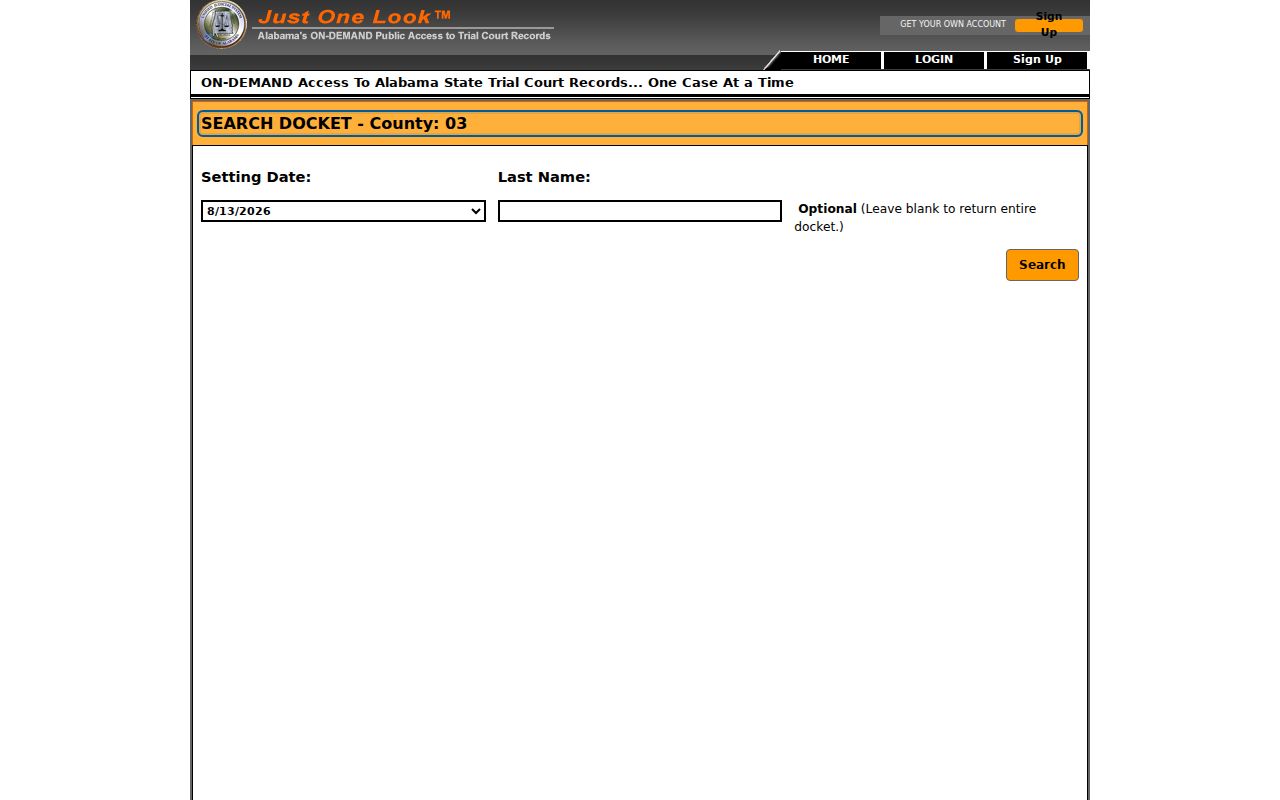
The tool is built date first. Know your likely setting date, then use the name filter only if the dated list runs long.
Montgomery County Date Search Fields
The form is short. Each control changes what comes back. Check the county code before picking the date. The page offers five discrete dates but no refresh schedule, history span, or wildcard rules. Those gaps make a call to the clerk part of the docket search itself.
| Field Label | Type | Required | Options or Format |
|---|---|---|---|
| County | Fixed context | System | 03 identifies Montgomery County |
| Setting Date | Date list | Yes | Select one of the dates displayed |
| Last Name | Text | No | Leave blank to return the entire dated docket |
| Search action | Button | Yes | Retrieves or generates the dated docket, apparently as a PDF |
Search once with Last Name blank. If the full list is long, add the name filter. Do not copy unrelated names off a dated list. The form itself warns that some cases may not appear on the electronic docket, so an empty result never proves no setting exists.
Finding Your Court Date
Trust a chain of confirmations, not one screen. The newest signed notice or order comes first. Then check the case docket, the county date list, and the clerk to see whether that notice still holds. Together these cover Montgomery County Circuit and District settings plus the separate municipal route.
- Read the newest notice or order and note the court, case number, date, time, and setting type.
- Use the Montgomery Search Docket for the listed date. Search the whole date first, then narrow by last name.
- Check the latest setting entry through Just One Look or Alacourt.com if broader case access is available. For a city matter, use the Montgomery Municipal Daily Docket or the issuing municipal court.
- Call the Montgomery County Circuit Clerk at 334-832-1260 or visit the clerk counter at 251 South Lawrence Street when the electronic list is missing or unclear. The counter is open 8:00 a.m. to 5:00 p.m. on weekdays.
- Ask the assigned court or counsel to confirm a recent change. Recheck near the hearing because an amended order, closure, reset, or continuance can replace an earlier date.
Viewing a case electronically at the office is free under Alabama's current court-record rules. For one case's full event history, the Montgomery County Case Lookup helps, and you can return to the newest setting entry afterward. AlaFile serves registered filers. It is not an anonymous calendar search.
Montgomery County Jury Calendar
A jury assignment is not a case setting list. Montgomery County posts a Daily Jury Panel Assignment for jurors, and it covers panel reporting only. The Search Docket covers cases set on a chosen date. Jurors should follow the summons and official jury channel. Parties should follow the case notice and court docket.
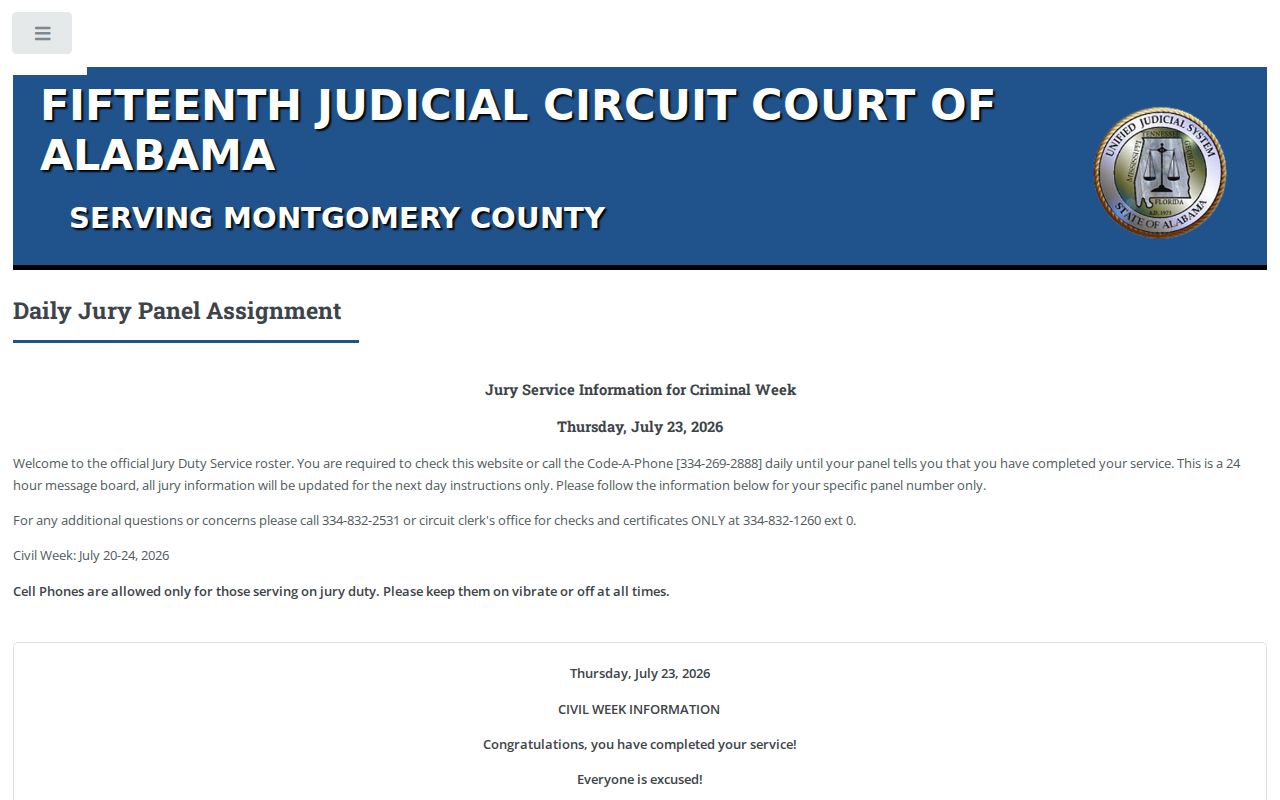
That separate jury page prevents a common mix-up. A panel notice never replaces the court's setting for a named case.
How to Read a Court Setting
Read any Montgomery County court setting as a set of fields. The date alone tells you little. A setting could be an arraignment, motion hearing, docket call, status review, bench trial, jury trial, sentencing, probation review, or show-cause hearing. The label shows what the court plans to address. It does not show the outcome.
| Date | The current scheduled calendar date, checked against the newest notice or order. |
|---|---|
| Time | The reporting time for the setting, which may be a docket-call time rather than a unique hearing slot. |
| Courtroom or Division | The court or room shown on the current record; confirm it with staff when the display is unclear. |
| Judge | The assigned or presiding judge shown for the event; assignments can change. |
| Setting Type | The purpose, such as arraignment, pretrial, motion hearing, trial, sentencing, compliance, or review. |
| Case Number and Style | The identifiers that distinguish the setting from similar names and from another court's case. |
| Reset Status | A passed, continued, reset, or continued-to entry that must be read with later entries. |
Calendar columns can render differently day to day. Keep the full case number and court tier handy when staff resolve a conflict. Never infer a room, judge, or new date the record does not state.
Montgomery County Division Calendars
Domestic Relations and Child Support are clerk divisions with their own case work and setting notices. The official Child Support division page names the local channel. That matters because a broad calendar search will not answer questions about a restricted file, service, or a new order's meaning.
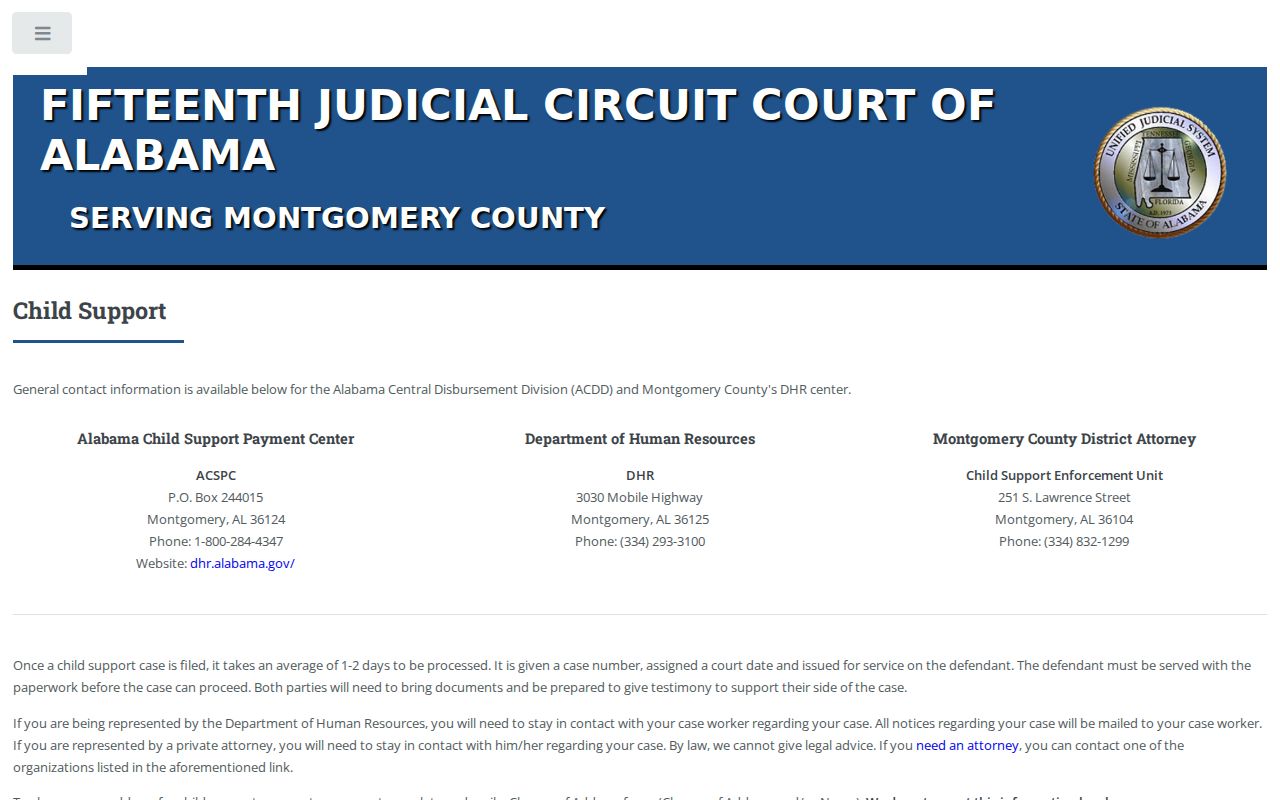
The division page drives home one point: route a date question to the office that holds the case. Not every family setting works like a general civil date.
The Domestic Relations fee chart is another official source tied to that court work.
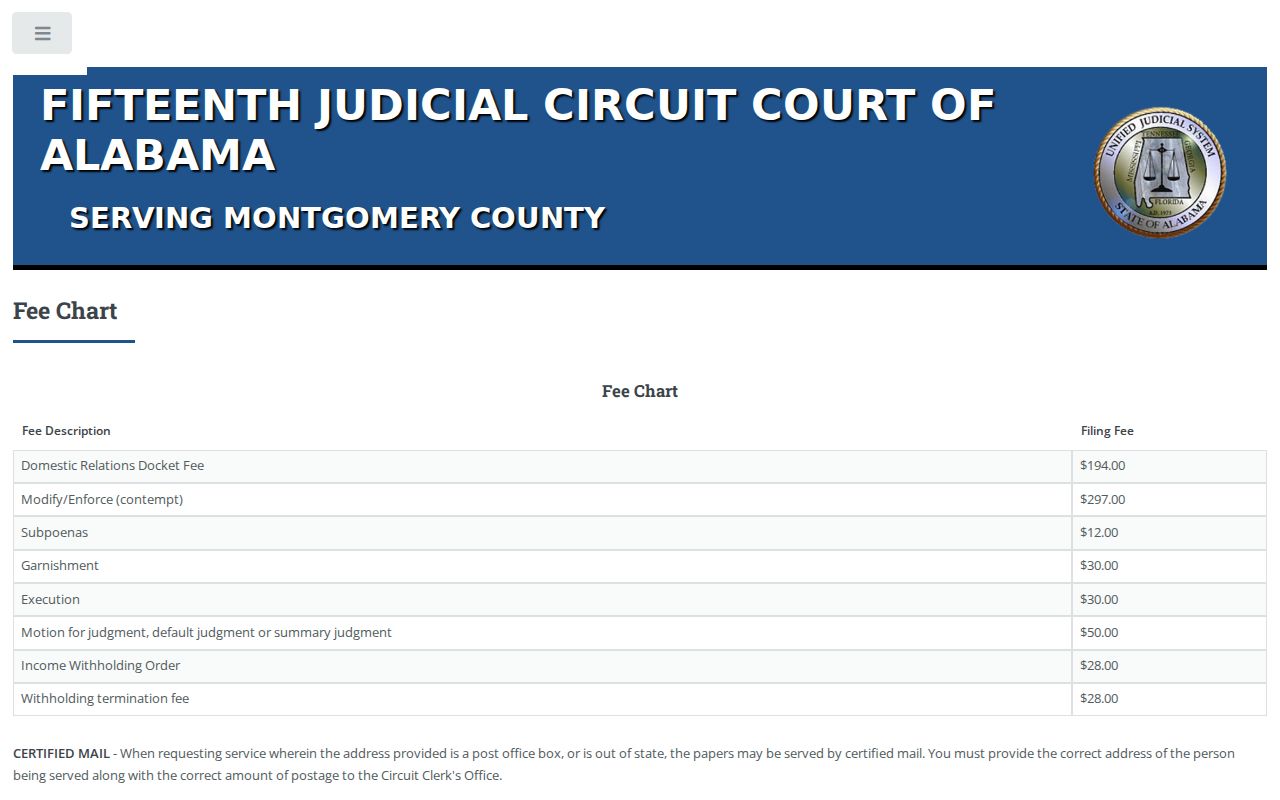
Fees do not set hearing dates. Still, the division source confirms you are checking a domestic case through the right Montgomery County court channel.
Continuances, Resets, and Cancellations
A continuance or reset cancels the operative force of an earlier Montgomery County court date. The old setting usually stays in the chronological docket anyway. That is why you read forward through the entries. Stop at the newest notice, order, or setting line. Words like passed, continued, reset, and continued to describe related but distinct procedural steps. Treat none of them as a dismissal.
Never work out a new date by counting from the old one. If a web list conflicts with a paper notice, call. Give the clerk or the assigned court the case number, the court, the old date, and the exact new entry. A cached image carries less weight. The current clerk record or a signed amended order controls.
Weather closures can shut down access or proceedings too. Check an official court channel before you travel. One more caution: a setting that vanishes from a dated list is not automatically gone. Confirm it through the latest case entry and the court that issued the notice.
Montgomery County Setting Terms
Calendar labels name the purpose of an event. They rarely tell the whole story of a Montgomery County case. Knowing the common setting terms helps you tell a scheduled step from a final result.
- Docket call
- A session used to check case status or readiness and organize matters for later action or trial.
- Arraignment
- A criminal appearance at which the formal charge and plea are addressed.
- Continuance or reset
- A move from one setting to a later or new date; the newest entry must be checked.
- Compliance hearing
- A Montgomery Municipal Court setting after an order to pay fines or costs or perform community service.
- Disposition
- The result or status that resolves a charge, claim, or case, not merely the date of a hearing.
A city compliance hearing is mandatory. Even so, the person may not have finished the ordered payment or service. The city describes the hearing as the place to explain those facts. Do not assume that municipal rule applies everywhere. It may not fit every Circuit or District setting in Montgomery County.
Montgomery County Missing Date Checks
The Montgomery County form warns outright that some cases may not appear electronically. So a blank result has several possible causes. The date could be wrong. The case could sit in another court, the file could be old or non-electronic, or access could be limited. Municipal, Probate, and federal matters are held elsewhere. Juvenile, sealed, expunged, adoption, and similar protected material may face tighter public access.
For Circuit or District cases, call the Montgomery County Circuit Clerk. Ask whether the case falls outside the portal's coverage. Then ask which division can confirm the setting. Staff can explain the process without revealing protected facts. Montgomery Municipal Court keeps its own case-information numbers, 334-625-2776 and 334-625-2777. Pike Road matters belong to that municipality's court channel.
If You Miss a Court Setting
Act at once after a missed Montgomery County court date. If you have counsel, make that call first. Otherwise, contact the clerk or the assigned court named on the notice. Give the full case number. Ask what the current docket shows. Ask which official process now applies. Never assume that a new online date erases the effect of the missed setting.
Missed a Setting? A missed setting can lead to serious court action, and Montgomery Municipal Court warns that failure to appear can produce a warrant.
Confirm the case status through the originating court before appearing, paying, filing, or relying on an old date.
Only the court or qualified counsel can address the proper next step for the specific Montgomery County matter.
Depending on the case and court, the record may later show a capias, warrant, bond action, compliance setting, or a new notice. A public calendar entry is not legal advice. It does not cancel an order either. Keep your notice, and write down the time, the name, and the official office you contacted.